So my robots all reverse in one direction, and I’m completely out of ideas to fix it. I’m working on one in particular, because it seems to be the worst, but 5 separate robots have all done it to some extent.
It’s not just when they’re on the floor, if I elevate the wheels and push the throttle, one wheel always starts first. Adding trim or sub trim doesn’t seem to help at all.
When the robot is on ground, forward is acceptably straight, but reverse is almost a spin. Actually sticking it in spin makes it revolve weird too.
Things I’ve tried:
Switched from BBB antweight ESCs to Malenki Nanos.
A variety of wheel and motors, N10 600rpms, N10 1000rpms, N20 1000rpms.
Nothing rubbing the wheels, nothing rubbing the floor at all weird angle. Again, does it with no contact with the floor, and multiple robots of different shapes. Flippers, spinners.
Added a central skid under the robot so it’s not running a whole flat edge.
Checked voltage on motors as they kick in, all pretty equal.
Any more ideas, because my next step is to ONLY build full body spinners.
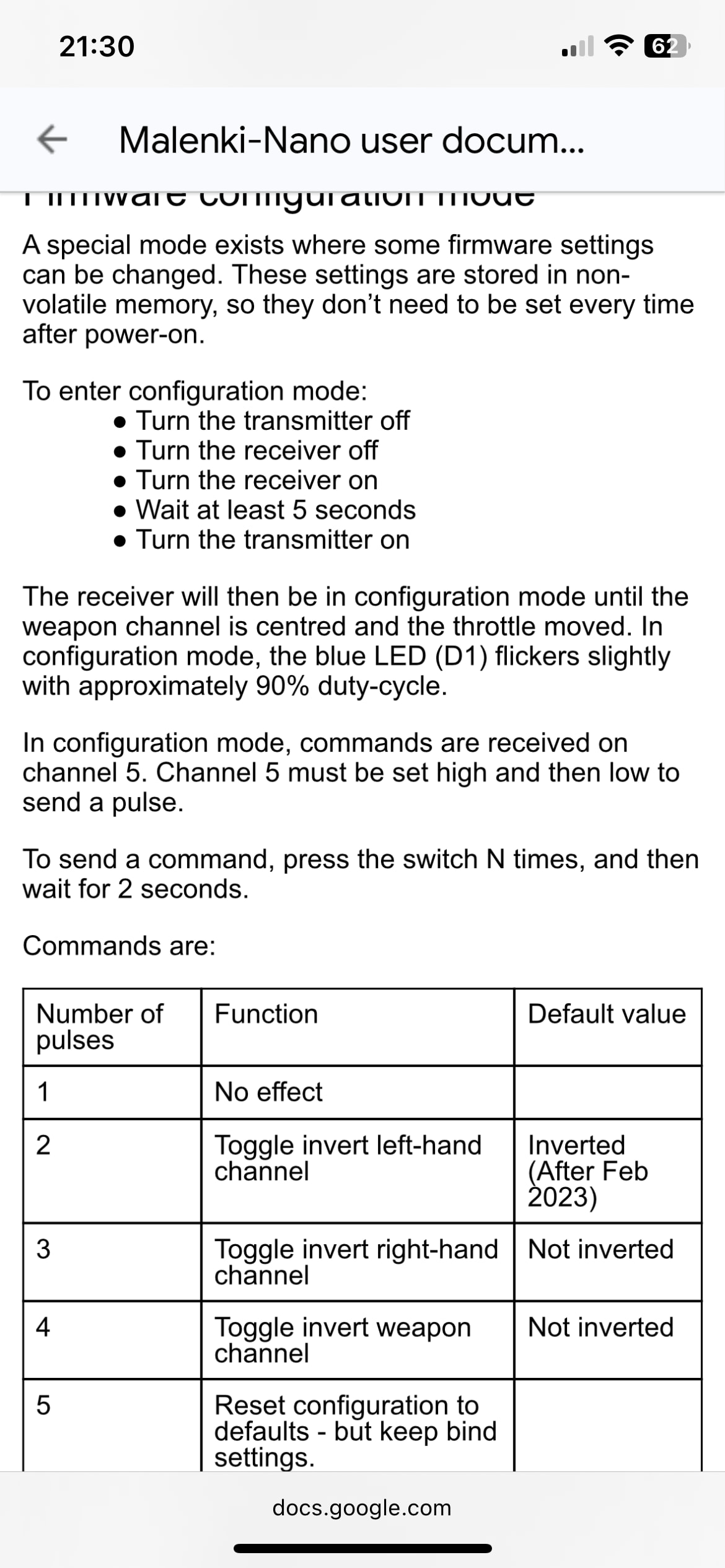
One thing you don’t mention is your transmitter setup, it sounds like it could be a mixing issue. Are you using Malenki mixing or transmitter mixing?
You might have both enabled, or a wonky transmitter mix. You can confirm if it’s a mixing issue by disabling mixing on the malenki and switching to a fresh model profile on the transmitter (ie one that has mixing disabled). You can also switch the polarity of both motors inside the bot and see if the issue is linked to stick direction or motor direction.
Yep +1 to Joe. Having dealt with something similar recently, I found the source - my own idiocy - I had set limits in the transmitter on one of my channels (the folly of copying old models - this channel used to hook up to a servo) which was causing a much smaller response from that channel than the other. Of course this is an extreme example but definitely check through all your mixing and transmitter settings.
Thanks guys, this seems likely. Looking into the Nano’s instructions it seems like mixing is on as standard, and I’m pretty sure my FS-i6 also has it on. At work atm, but I’ll dig into it tonight and report back.
If possible try removing the motors from whatever mounting method you are using and have them sitting loose outside the chassis. Then remove the wheels and use tape to add a “flag” to the axles so you can still see their movement and try testing it.
This way you’ll be able to definitively rule out design/assembly as a cause.
Have you tried a brand new model on the transmitter? Like completely stock, no changes, not copied from another model? Or checked the pwm outputs on each channel? Might be worth looking at to see if one channel is just being configured differently
The only thing left I can think are there are differences in the motors - worth taking the setup, swapping the motors to the opposite sides and seeing if the same motor has a worse response? Sorry this is dragging a lot for ya!
I’ve not tried swapping them (unless I’ve put them back in opposite without knowing) but I have tried different motors, a pair of n10 300 and a pair of n20 1000.
The weirdest part is that it was happening with BBB escs, and is still happening with Malenki nanos. The only parts of the robots that have never changed are the servos and the transmitters!
There is one other part that hasn’t changed, the hands on the transmitter. It may sound silly but are you sure you are pulling the stick straight down in a line for the entire duration of the motion?
It’s definitely worth isolating whether it’s consistently one side responding worse I think. If it is, I think we need to be focussing on the transmitter.
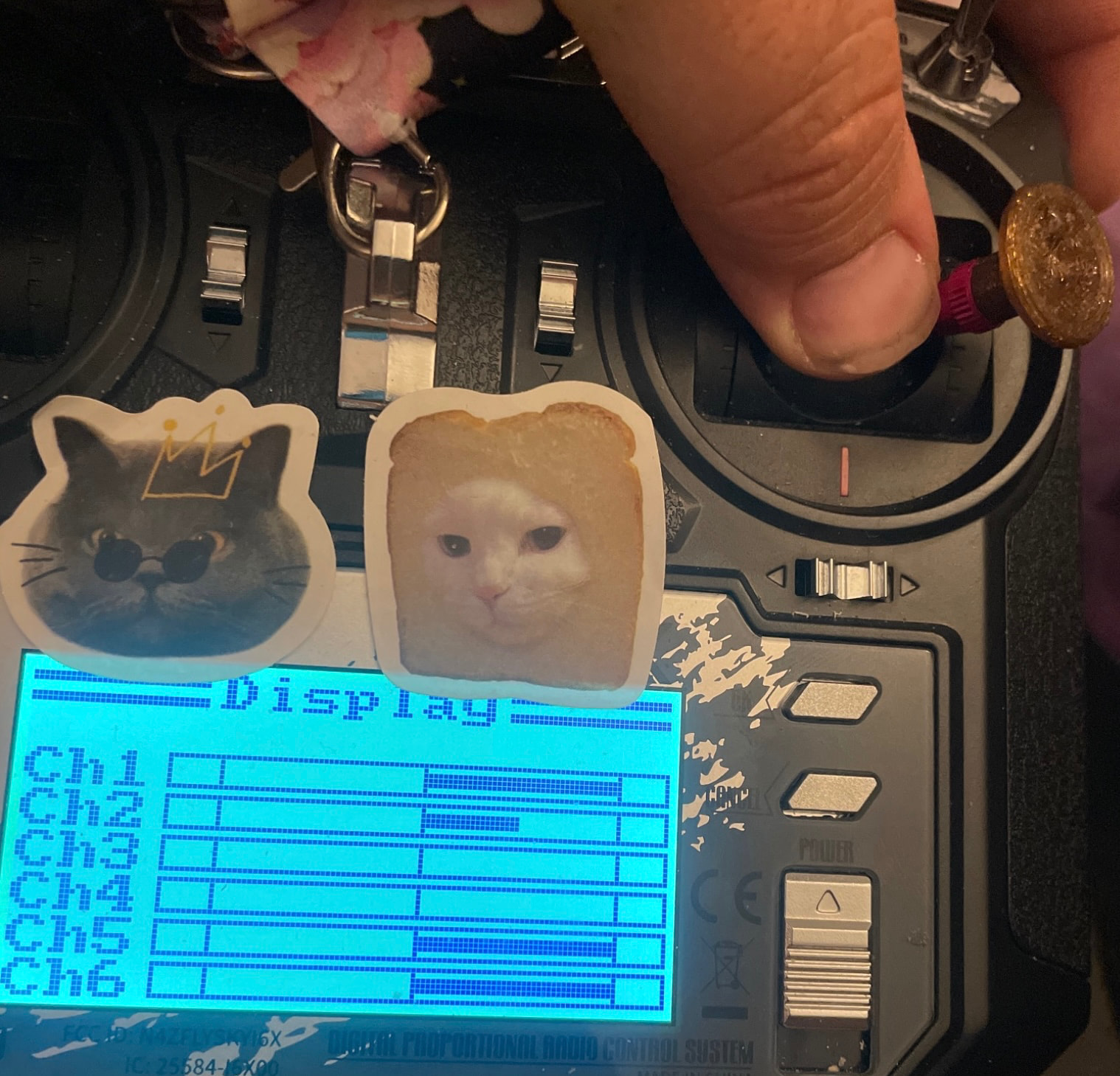
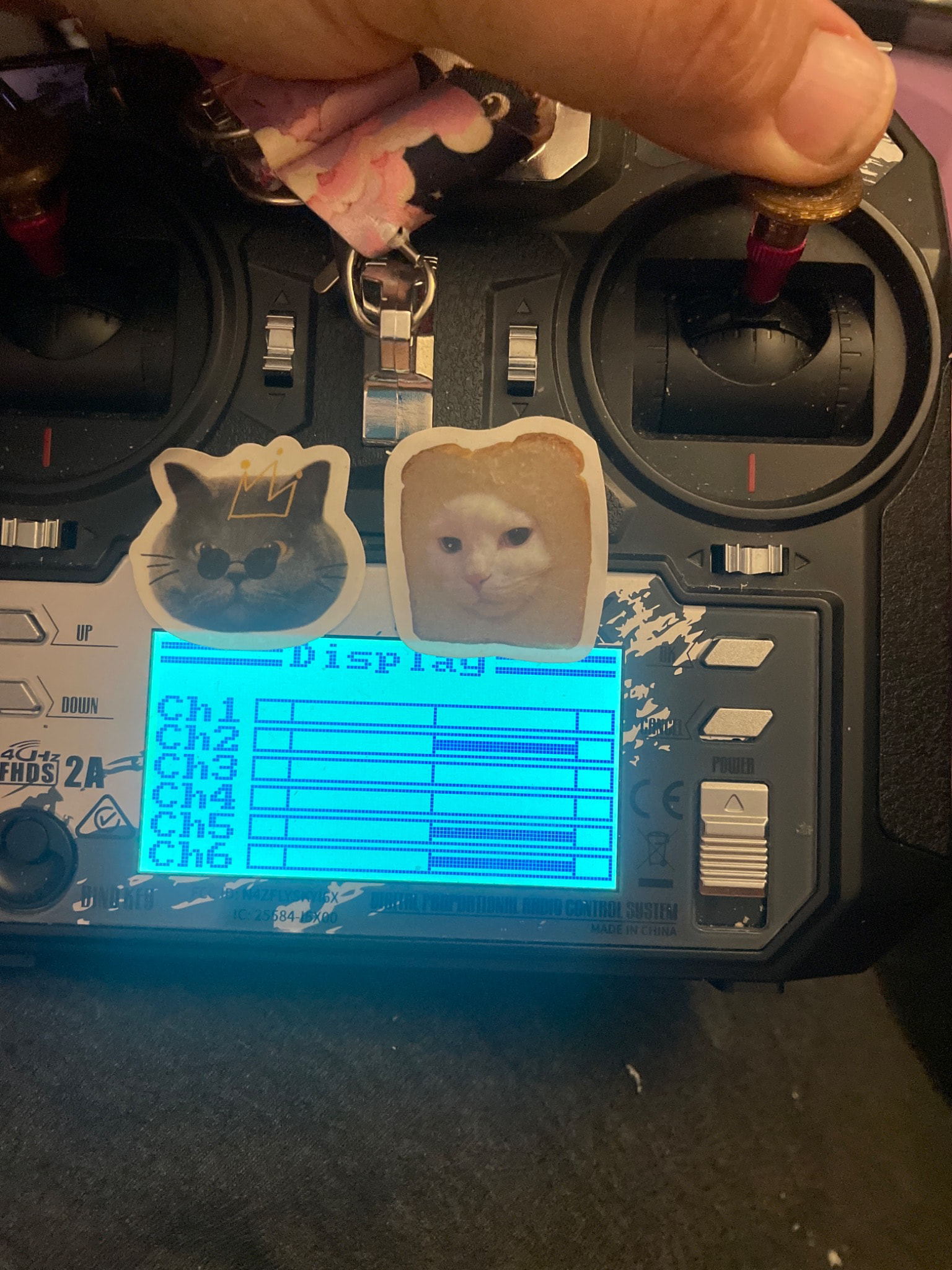
Yup. I’ve had multiple people drive them now, from people that have flown Rc choppers to my 10 year old daughter. Every one of them makes it reverse to the left, whether they feather the stick or jam it. You can literally hold the stick down and the robot does circles
It’s always one side, kicking in first, always the right.
I think tonight will be unsoldering and resoldering the motors, but a few nights ago I stuck brand new, completely different, motors in there and it had exactly the same bias.
It must be the transmitter… but it’s the same on two separate FS-i6x’s